The new MacBook Pro introduces a touchscreen interface and a PROLED XDR display, enabling photographers and fashion designers to retouch images, illustrate, and perform 3D modeling in a more intuitive way—bridging the gap between initial inspiration and the final product.
This highly anticipated new MacBook Pro not only marks the debut of a touchscreen on the device, but also features a PROLED XDR display powered by tandem OLED technology. For creators who have long relied on trackpads, external drawing tablets, and professional color-accurate monitors, this innovation introduces an entirely new way to work—offering more versatile and intuitive modes of interaction for color grading, image editing, and design creation.
Jeremy Z. Qin, a fashion photographer active in Shanghai and New York, and Susan Fang, an emerging fashion designer based in London, both had the opportunity to experience the MacBook Pro with its PROLED XDR display firsthand. They shared how the touchscreen has transformed their daily workflows and opened up new creative possibilities.
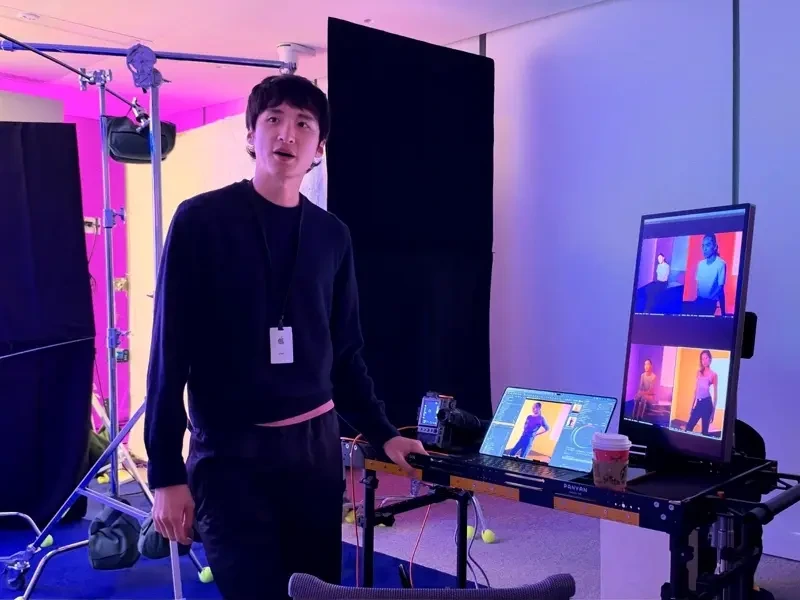
Jeremy notes that traditional studio photography—often involving tethered shooting via software like Capture One—places significant demands on computer performance, especially when handling large, high-resolution image files. A touchscreen-enabled MacBook Pro transforms both the on-set studio workflow and the subsequent image-editing process. For instance, when adjusting lighting, instead of relying on a mouse or trackpad, one can now drag the tone curve directly on the screen with a finger, allowing for more intuitive, fine-tuned adjustments.
Furthermore, with AI-powered masking features running locally on the device, the system can automatically identify subjects and specific background elements. These adjustments can then be applied to subsequent shots, significantly reducing the time spent on repetitive editing tasks. Jeremy believes that the touchscreen facilitates the kind of “immediate, intuitive control” that creators need. When combined with the precise color reproduction and powerful computing performance of the Pro Display XDR, the setup ensures a seamless, efficient workflow—even when working with high-resolution image files.
Beyond professional retouching, touch controls also streamline routine tasks during a shoot. For example, when playing music, a photographer can switch AirPlay audio outputs with a simple tap on the screen, bypassing cumbersome menus and allowing them to manage the studio atmosphere more quickly and effectively.
Fashion designer Susan Fang shares that her creative process frequently integrates inspiration from nature, computational geometry, and 3D printing technology. The addition of a touchscreen to her MacBook Pro has made her design workflow significantly more intuitive. Previously, when creating sketches in Illustrator or refining the intricate details of 3D-printed lace, she had to painstakingly trace lines using a mouse. Now, she can hand-draw floral patterns directly on the touchscreen and connect lines with precision, allowing her to translate inspiration into designs much faster.
Within the custom drawing software developed by her team, users can simply glide their fingers across the screen to create gradient strokes with a watercolor-like texture—all while retaining the flexibility of vector graphics, which allow for the adjustment of brush strokes and color blending at any time. During the 3D modeling phase, designers can use intuitive gestures to rotate 3D objects, pinch or stretch models, adjust thickness and geometric cross-sections, and view changes in real-time—making the digital design process feel much more like hands-on, physical creation.
Orelio De Jonghe, Susan Fang’s husband—who also serves as the brand’s design director for footwear and accessories—notes that when working with various design and 3D animation software programs like Houdini, Blender, and ZBrush, one previously had to master a unique set of keyboard shortcuts for each, which increased the learning curve when switching between tools. Touchscreen functionality offers a more intuitive and consistent set of gesture-based controls, reducing the time spent re-learning how to navigate different software applications.
To help more people get started quickly—while enabling the creation of professional, organic, and abstract designs—Orelio developed his own 3D modeling app, designed to be simple and intuitive to use. Originally built for the iPad’s touch interface, the software was swiftly adapted for the Mac once it was announced that the new MacBook Pro would support touchscreen input. The interface and controls were further refined, allowing users to perform 3D modeling by interacting directly with the MacBook Pro’s display.
From photo editing by photographers to 2D illustration and 3D modeling by fashion designers, the touchscreen interface offers more than just an alternative way to interact; it allows creators to engage with digital content with the same natural intuition as traditional hand-drawing or sculpting. Combined with the color precision of the Pro Display XDR and the powerful performance of the M5-series chips, the MacBook Pro bridges the gap between inspiration and the final product, unlocking a more fluid and unrestricted workflow for professional creators.